Import
Run Visionary Render or another Virtalis application. You will see the following dialog:
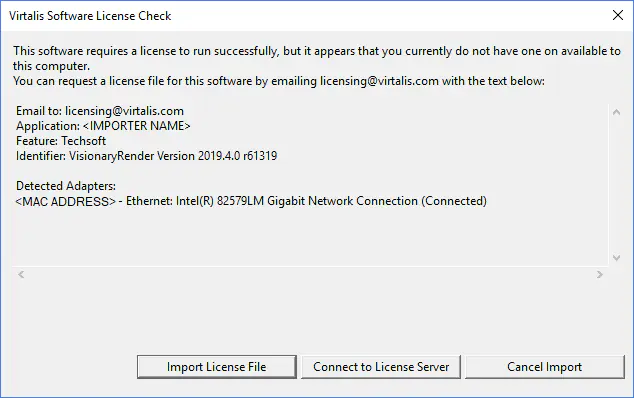
If you do not yet have a license, copy the text in the dialog as instructed and email it to: licensing@virtalis.com.
Press the Import License File button to open a file dialog and browse for your license. If the license file is valid, the dialog will close and the application will start. You will not see the license dialog again on startup until your license expires.